> ## Documentation Index
> Fetch the complete documentation index at: https://docs.slng.ai/llms.txt
> Use this file to discover all available pages before exploring further.
# Test your agent
> Try a managed agent live from the dashboard before you connect a channel: talk to it in the browser or have it call your phone.
The **Test agent** panel runs your agent live from the dashboard, so you can try
it the moment you finish building it, before you connect a phone number or embed
it in a page. Talk to it in your browser, or have it call your phone.
## Prerequisites
Before you begin:
* A created and configured agent. See
[Create an agent](/guides/get-started/create-a-project/create-agent).
* For the outbound call channel, an outbound connection attached to the agent.
See [Place calls from an agent](/guides/agents/telephony/outbound).
## Open the Test agent panel
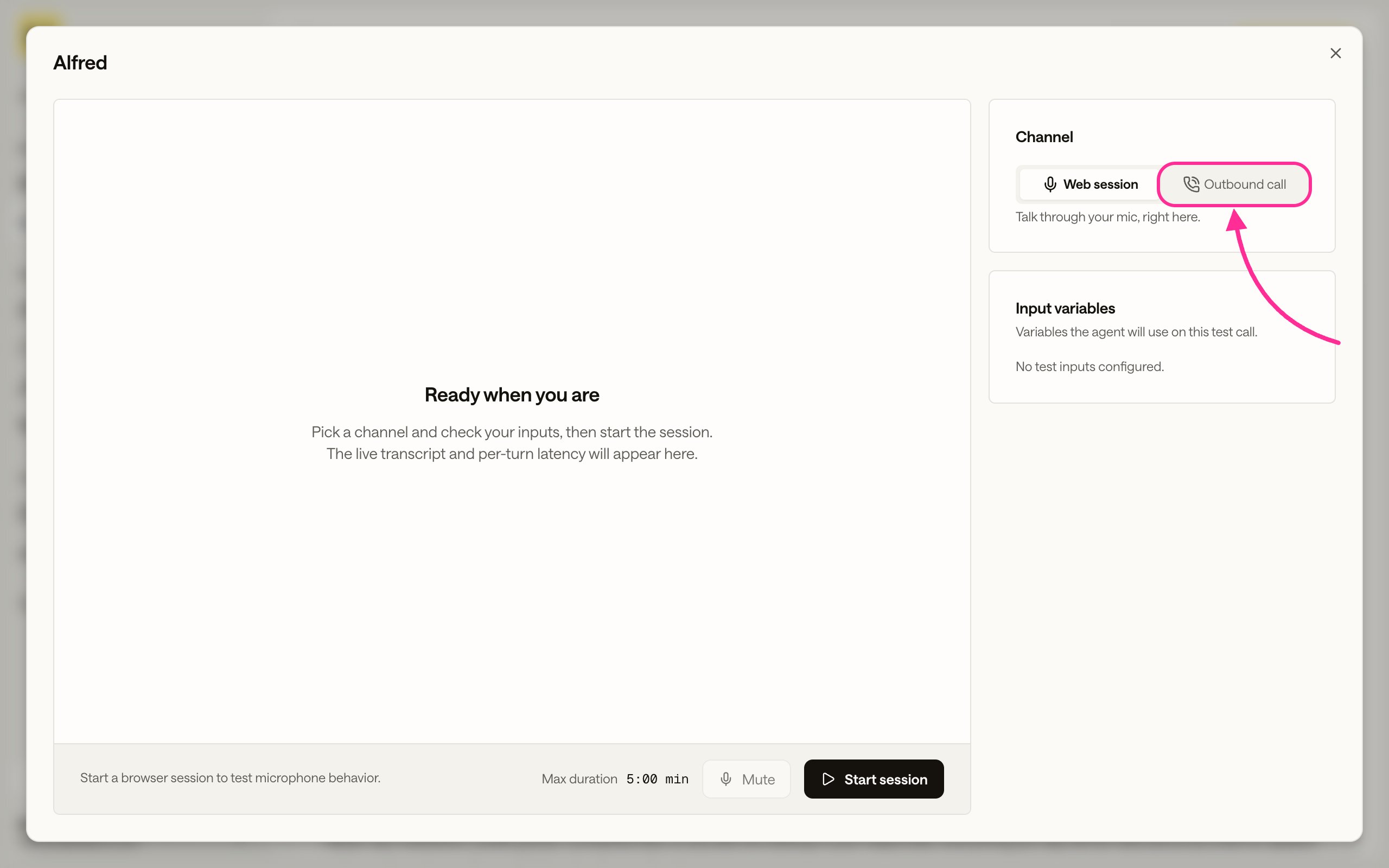
Open the project and click **Test agent**. The panel opens on the **Web session**
channel, with a **Channel** selector to switch between talking in the browser and
placing a call.
 ## Talk to it in the browser
On the **Web session** channel, allow microphone access when the browser asks,
then talk to the agent and read the live transcript as it responds. This is the
same browser voice session you ship with
[Embed in website](/guides/agents/production/embed-in-website), so it is the
quickest way to hear how the agent sounds before you add it to a page.
## Have it call your phone
Switch the **Channel** to **Outbound call** to have the agent dial a number while
you listen.
Set the **Channel** to **Outbound call**. A **Number to call** field appears.
If the panel says telephony setup is needed, the agent has no outbound
connection attached. See
[Place calls from an agent](/guides/agents/telephony/outbound).
## Talk to it in the browser
On the **Web session** channel, allow microphone access when the browser asks,
then talk to the agent and read the live transcript as it responds. This is the
same browser voice session you ship with
[Embed in website](/guides/agents/production/embed-in-website), so it is the
quickest way to hear how the agent sounds before you add it to a page.
## Have it call your phone
Switch the **Channel** to **Outbound call** to have the agent dial a number while
you listen.
Set the **Channel** to **Outbound call**. A **Number to call** field appears.
If the panel says telephony setup is needed, the agent has no outbound
connection attached. See
[Place calls from an agent](/guides/agents/telephony/outbound).
 Enter the destination under **Number to call** in E.164 format and click
**Start call**. The agent dials while you watch the transcript.
Enter the destination under **Number to call** in E.164 format and click
**Start call**. The agent dials while you watch the transcript.
 For repeated or automated calls, dispatch them from the API instead. See
[Dispatch outbound calls](/guides/agents/telephony/dispatch-calls).
## Review the test
Every test session and call becomes a record with its transcript, the arguments
passed, and the rendered prompt. See
[Observability and usage](/guides/usage-and-billing).
## Next steps
Ship the browser voice session on your own web page.
Give the agent a caller ID so it can dial out and transfer calls.
Start calls from the API, or process a contact list.
Read back the transcript, arguments, and usage for each session and call.
For repeated or automated calls, dispatch them from the API instead. See
[Dispatch outbound calls](/guides/agents/telephony/dispatch-calls).
## Review the test
Every test session and call becomes a record with its transcript, the arguments
passed, and the rendered prompt. See
[Observability and usage](/guides/usage-and-billing).
## Next steps
Ship the browser voice session on your own web page.
Give the agent a caller ID so it can dial out and transfer calls.
Start calls from the API, or process a contact list.
Read back the transcript, arguments, and usage for each session and call.